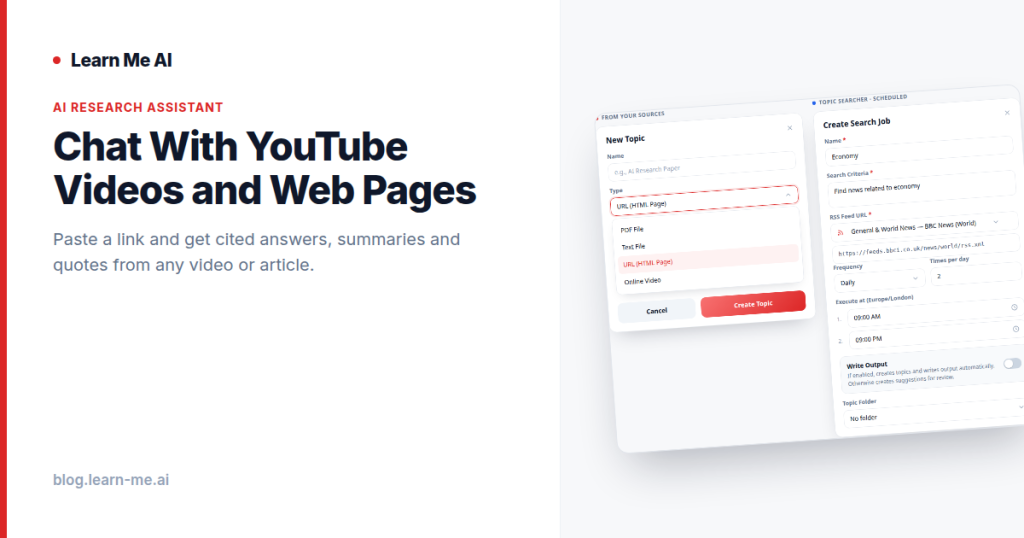
A 90-minute conference talk holds one insight you need. A long-read article buries the answer to your question in paragraph 14. Watching and skimming are slow, and you rarely have the time. The faster path is to chat with YouTube videos and web pages directly, asking plain questions and getting straight answers pulled from the actual content. With Learn Me AI, you paste a link, the content is extracted and indexed, and you can ask, summarize, and pull quotes, with every answer cited back to the source.
The problem: long videos and articles are slow to digest
Video and the open web are where most knowledge now lives, but neither format is built for fast retrieval. A YouTube video has no Ctrl+F. You scrub the timeline, guess where the relevant part is, and re-watch sections at 2x speed hoping to catch it. Web articles are searchable but sprawling, and the one fact you came for is wrapped in introductions, ads, and tangents.
Now multiply that by a real research session. You have five videos, a dozen browser tabs, a few PDFs, and maybe a recorded interview. The information you need is spread across all of them, and there is no single place to ask a question that draws on everything at once. That fragmentation is the actual bottleneck, not the reading speed.
How URL and YouTube ingestion works
Learn Me AI removes the busywork. Drop in a YouTube link or any URL, and the platform extracts and indexes the content so it becomes searchable and conversational. For a video, that means the spoken content is captured and turned into text you can query. For a web page, the readable content is pulled out and indexed the same way.
Once indexed, the source joins your knowledge base alongside everything else you have added. You are not chatting with one video in isolation. You are adding it to a searchable library where it sits next to your PDFs, audio, web pages, and other videos, all queryable through a single chat. Ask a question and the answer can draw on any combination of those sources at once.
What you can do with it
Extracting and indexing a URL is only the setup. The value is in what you ask afterward.
- Research: Pull a long technical talk and a couple of supporting articles into one knowledge base, then ask comparative questions across all of them without rewatching or rereading.
- Learning: Turn a two-hour lecture into a study aid. Ask for the key arguments, request a plain-language explanation of a confusing section, or have it list the main takeaways in order.
- Competitive analysis: Index a competitor’s webinar, product page, and a few blog posts, then ask what claims they make, which features they emphasize, and how they position against alternatives.
- Content preparation: Gather the sources for a piece you are writing, pull accurate quotes with attribution, and check facts against the originals before you publish.
How to chat with a YouTube video or web page
The workflow is short:
- Step 1: Copy the YouTube URL or any web page address.
- Step 2: Paste it into your Learn Me AI knowledge base. The content is extracted and indexed automatically.
- Step 3: Add any other sources you want in the mix, such as PDFs or audio recordings.
- Step 4: Open the chat and ask. Summarize the video, ask a specific question about a URL, or request direct quotes on a topic.
- Step 5: Follow the citation on any answer back to the exact source to confirm it.
To summarize YouTube videos with AI, you simply ask for a summary once the video is indexed. To chat with a web page, you do the same with a URL. There is nothing to install and no setup beyond pasting a link.
Why citations and combining sources matter
An AI summary you cannot verify is a liability, especially for research, study, or anything you intend to publish. Learn Me AI grounds its answers in the sources you provided and links back to them, so you can trace any claim to the exact video or page it came from. That is the difference between a confident-sounding guess and an answer you can stand behind. We go deeper on this in our guide to cited, grounded AI answers that avoid hallucinations.
Combining sources is the other half of the value. When a YouTube video, a web article, a PDF, and an audio recording you transcribed and made searchable all live in one knowledge base, a single question can synthesize across formats. You stop asking “where did I read that” and start asking the question directly. For ongoing work, you can also lean on automated topic research and monitoring to keep a subject current over time.
Frequently asked questions
Can I really chat with any YouTube video?
You paste the YouTube link and Learn Me AI extracts and indexes the content so you can ask questions, request summaries, and pull quotes from it through chat.
How do I summarize a long video quickly?
Add the video to your knowledge base, then ask the chat to summarize it or list the main points. Because the answer is cited, you can jump to the source to confirm anything important.
Can I ask questions about a URL alongside my other files?
Yes. A web page you index sits in the same knowledge base as your PDFs, audio, and videos, so a single question can draw on all of them and the answer will cite each source it used.
Do I need a credit card to try it?
No. Learn Me AI has a free plan and requires no credit card to get started.
Start chatting with your videos and pages
If you have ever wished you could just ask a long video a question, that is exactly what this does. Paste a YouTube link or any URL, let Learn Me AI extract and index it, and chat with the content alongside everything else in your knowledge base, with citations on every answer. The fastest way to understand why it works is to try it on a video you have been putting off. Start free with Learn Me AI, no credit card required, and turn your next hours-long video into a two-minute conversation.