 Learn Me AI
The 9 Best NotebookLM Alternatives in 2026 (Free & Paid)

NotebookLM made "chat with your own sources" mainstream — but in 2026 it's been folded into Gemini Notebook and tied ever more tightly to Google's ecosystem, and plenty of people want something that does more than read and summarize. If you're searching for a NotebookLM alternative, this guide compares nine tools — free and paid — across the things that actually matter: chatting with your own material, getting cited answers you can trust, and turning that research into finished, shareable work.
We'll start with our pick, then walk honestly through the rest, including where each one beats the others.
What makes a good NotebookLM alternative?
Before the list, the criteria we compared on:
- Grounding & citations — does it answer from your sources and cite them, or improvise from general knowledge?
- Source variety — PDFs only, or also web pages, audio, and YouTube?
- From research to output — can it help you write and publish, or does it stop at chat?
- Portability — locked to one ecosystem, or usable anywhere (including embeddable bots)?
- Price — is there a real free tier?
1. Learn Me AI — best overall for research-to-published-work
Learn Me AI covers what NotebookLM does — chat with PDFs, audio, web pages, and YouTube, with cited, grounded answers — and then keeps going where NotebookLM stops. Instead of leaving you with chat responses, it helps you write and edit full documents from your research, then publish straight to WordPress or Ghost or export to PDF, Word, or audio. You can also spin up an embeddable chatbot or voice bot trained on the same knowledge base and drop it on your site.
Best for: students, researchers, and creators who need to go from a pile of sources to a finished, published piece.
- Pros: multi-source knowledge bases; cited answers; AI writing + one-click publishing; PDF/Word/audio export; embeddable web/Flutter/React Native bots; semantic search; free plan, no card.
- Cons: no generated two-host "podcast" like NotebookLM's Audio Overview (it narrates your finished document to audio instead).
Want the head-to-head? See the Learn Me AI vs NotebookLM comparison, or the in-depth writeup.
2. NotebookLM (Gemini Notebook) — the tool you're replacing
Worth stating plainly: NotebookLM is good. It's free, polished, Google-backed, and its Audio Overview — a generated two-host podcast about your sources — is a genuinely standout feature nothing else quite matches. If all you need is to read, chat with, and listen to your documents inside Google's ecosystem, it may be all you need.
- Pros: free; excellent Audio Overview; clean, reliable, well-designed.
- Cons: doesn't write or publish finished documents; tied to Google/Gemini; source and usage limits; no embeddable bots.
3. ChatPDF — simplest way to chat with a single PDF
ChatPDF is the fast, no-friction option: drop in a PDF and start asking questions. It's ideal when your "knowledge base" is one document and you just want answers now.
- Pros: dead-simple; instant; free tier.
- Cons: built around single documents rather than a multi-source library; limited beyond PDFs; no writing/publishing.
4. Perplexity (Spaces) — best for web-first research
Perplexity is an answer engine that cites its sources, and its Spaces let you group files and threads around a topic. It shines when your research leans on the live web as much as your own files.
- Pros: strong cited web answers; fast; good for discovery.
- Cons: web-first rather than your-documents-first; less suited to building a durable private knowledge base or producing publishable documents.
5. Notion AI — best if your notes already live in Notion
If your team already works in Notion, its built-in AI can summarize, draft, and answer across your workspace. It's convenient, though it's a notes-and-docs tool with AI added, not a citation-first research assistant.
- Pros: lives where your docs already are; great for drafting and team notes.
- Cons: weaker source grounding and citations; not built specifically for "chat with my research and cite it."
6. Obsidian — best local-first, privacy-first setup
Obsidian is a beloved local markdown knowledge base; with community AI plugins you can add chat over your own notes. It's the pick for people who want everything on their own machine and are happy to assemble the pieces.
- Pros: local and private; extremely flexible; strong for long-term personal knowledge.
- Cons: AI is DIY via plugins; more technical setup; not a turnkey grounded chatbot.
7. Afforai — best for academic reference management
Afforai blends a research assistant with reference-management features, which makes it a natural fit for academics juggling many papers and citations.
- Pros: reference-manager features; built for literature-heavy research.
- Cons: narrower focus; less about turning research into published, non-academic output.
8. YouLearn — best for studying and tutoring
YouLearn is aimed at students: upload course material and it helps you learn it with explanations, quizzes, and study aids. If your goal is understanding a syllabus rather than producing documents, it's purpose-built for that.
- Pros: study-first; quizzes and explanations; friendly for coursework.
- Cons: less suited to professional research or publishing workflows.
9. Elephas — best for Mac power users
Elephas is a Mac-native AI assistant that can work across your documents and apps. For people who live on macOS and want AI woven into their whole system, it's a strong local companion.
- Pros: deep macOS integration; works across your apps.
- Cons: Apple-ecosystem-focused; not a shareable, embeddable knowledge base you can put on a website.
How to choose the right NotebookLM alternative
- Want to go from sources to a finished, published piece? Choose Learn Me AI — chat, cite, then write and publish.
- Just want to chat with one PDF fast? ChatPDF.
- Research leans on the live web? Perplexity.
- Everything must stay local? Obsidian.
- Studying a syllabus? YouLearn.
- Deep in Google's ecosystem and love the podcast feature? Stick with NotebookLM.
The bottom line
NotebookLM is excellent at reading and chatting with your sources. But if you need a tool that also helps you produce something — a written document, a published post, an embeddable bot on your site — and works outside Google's ecosystem, a dedicated alternative wins. Of the nine here, Learn Me AI is the most complete for taking research all the way to finished work, and it's free to start.
Tools and pricing change quickly — check each product's current plans before deciding.
Frequently asked questions
What is the best NotebookLM alternative in 2026?
It depends on what you need. If you want to chat with your own sources, get cited answers, and then write and publish finished documents, Learn Me AI is the most complete pick. For a purely local, note-taking-first setup, Obsidian is strong; for quick single-PDF chat, ChatPDF is the simplest.
Is there a free NotebookLM alternative?
Yes. Learn Me AI has a free plan (no credit card). ChatPDF, Perplexity, Notion, and Obsidian all have free tiers as well, with paid plans for higher limits.
Why look for a NotebookLM alternative?
NotebookLM is now folded into Gemini Notebook and tied to Google's ecosystem, and it's built for reading and chatting with sources rather than producing finished, publishable work. If you need document writing, publishing, exports, embeddable bots, or a tool outside Google, an alternative fits better.
Do these tools cite their sources?
The research-focused ones do. Learn Me AI, NotebookLM, and Perplexity all give grounded answers with citations back to the original source; general note apps like Notion are less strict about grounding.
Try Learn Me AI free
Turn your PDFs, audio, web pages and YouTube videos into one AI you can chat with — get cited answers and publish the result. No credit card needed.
Get started free →Keep reading
Listen to Your Documents: Export Your Work to Audio
Export any document you write in Learn Me AI to a narrated audio file. Turn your research into audio you can listen to on the commute, at the gym, or to proofread by ear. Free to try.
Learn Me AI vs NotebookLM: Which Research Tool Actually Ships Your Work?
Learn Me AI vs NotebookLM — both chat with your sources and cite answers, but Learn Me AI writes and edits full documents, then publishes and exports them. A hands-on comparison.
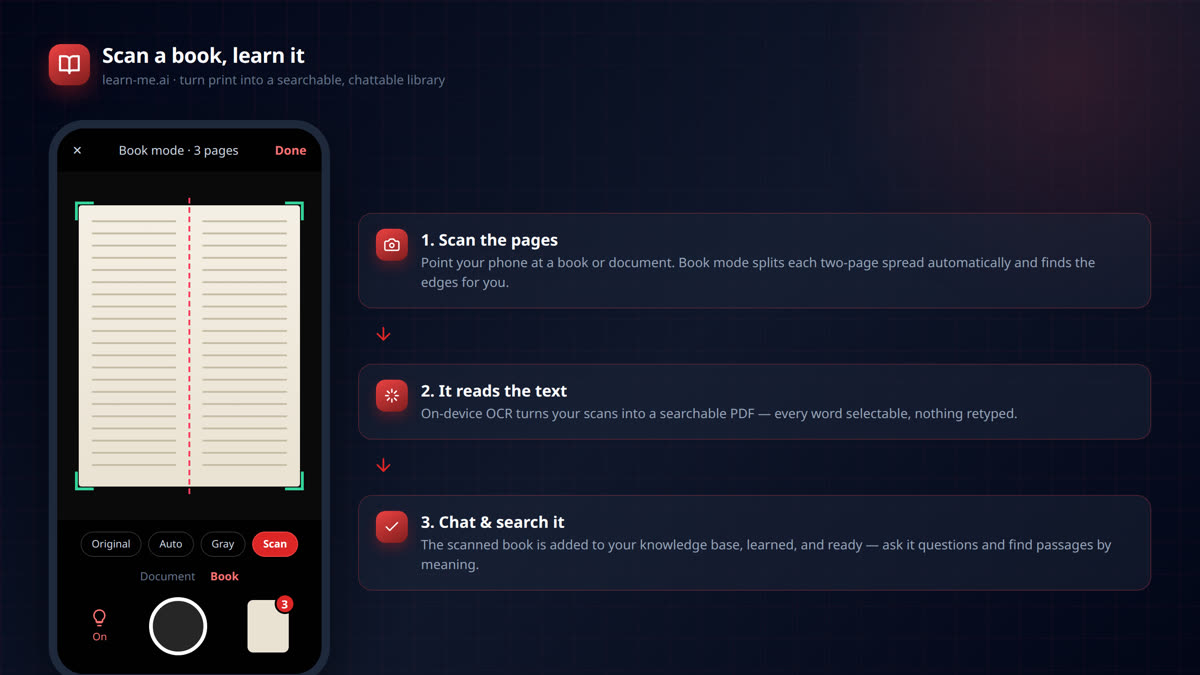
Scan Any Book With Your Phone and Chat With It
Scan any book or document with your phone and turn it into a searchable AI you can chat with. On-device OCR, two-page book mode, and instant learning in learn-me.ai.